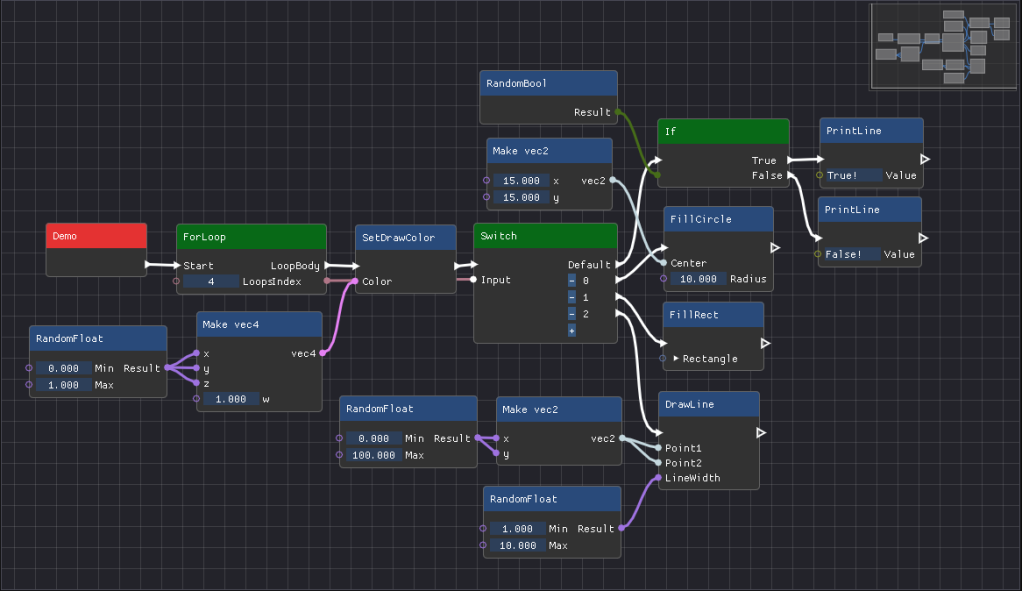
If you have ever been a developer on a non-trivial application, you will have noticed that every time you want to make changes to the project you have to recompile and restart the program for the changes to be applied. The time lost can vary between mere seconds to multiple minutes, just to recompile a tiny fraction of the program.
There are ways to get around this issue. Some program use a more data centered approach, making it easy to save and load files at runtime to change the program. Most game engines use this to load and save levels. This works great for saving settings or hierarchies of objects.
Scripting languages are also a great way to change how a program works at runtime. Languages like Lua, JavaScript, and Python allows the user to change the functionality of a program without having to recompile the entire program. A visual scripting language is a Scripting language but used as a Graphical User Interface (GUI) instead of a text editor like the examples given, making it more accessible to people that aren’t programmers.
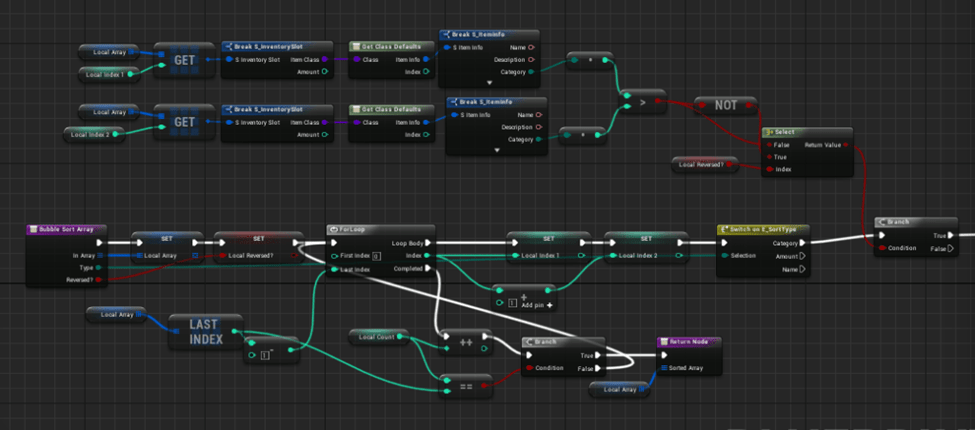
Types of Scripting Languages
There are 3 ways a visual scripting language may execute its code:
- Compiled: The nodes and links are compiled into byte-code that is able to run on a virtual machine created by the developer. The upside to this method is that the developer is able to define a virtual system with its own features that a normal CPU might not have. The downside is that it will not run as fast as compiled machine code on the CPU. the This method is used by Unreal Engine.
- Transpiled: The nodes network is used to generate code from another language that is then compiled using that language’s compiler. This method is not as versatile as the virtual machine method and the user has to do his own linking, but the results will be faster if the developer uses a sensible intermediate language. Shader graphs usually use this method to generate GLSL, HLSL code.
- Interpreted: This method does not compile into anything, instead it is similar to a parser. It will execute code while going over the graph step by step. The execution of this method is usually slower than the methods mentioned before as it has to interpret the node graph while executing. It has uses is applications like Houdini, where the graph only has to be executed once it is edited.
In my project I went with the Transpiled aproach as this method simplifies the compiling process dramatically by ofloading the intricate compiling to an existing C++ compiler.
Transforming into Intermediate Language
The Transpiled method requires us to first parse the graph and transform it into another language that can be compiled and executed. In my project I used C++ as the Intermediate Language as it is a very flexible language and is fast to execute when compiled.
Example

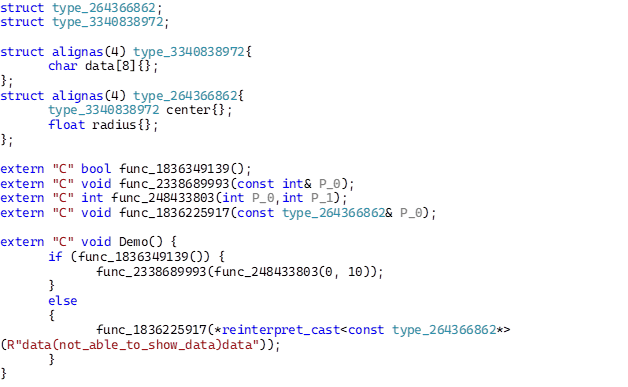
Note that functions and types an identifier next to them. This identifier part of a reflection system that contains information about the type or function. We will use that information later on in the linking stage when loading in the compiled machine code.
Each function also has extern "C" in front of the name, this is to ensure that the name doesn’t change or get mangled when using a C++ compiler.
Linking
After the node graph has been compiled into C++ source code if using the Transpiled Method and then compiled into binary machine code, it is necessary to also load that data and link any unresolved references that the object file may have.
When loading in that object file we first have to link internal data. Some variables or functions might need access to data that is not stored inside of the code section of the object file. A good example could be string literals. These literals get stored in another header that the binary code for executing code.
Most unlinked values have to be linked by adding an relative offset to the relocation address that points towards where the value is located. Although some symbols are declared externally, meaning that the symbol that it has to be linked with was defined inside the source file but implemented somewhere else. In that case we have to first find that symbol somewhere else in memory. I do this by using the Function Information stored inside of the reflection system.
 Connor De Meyer | Portfolio
Leave a comment