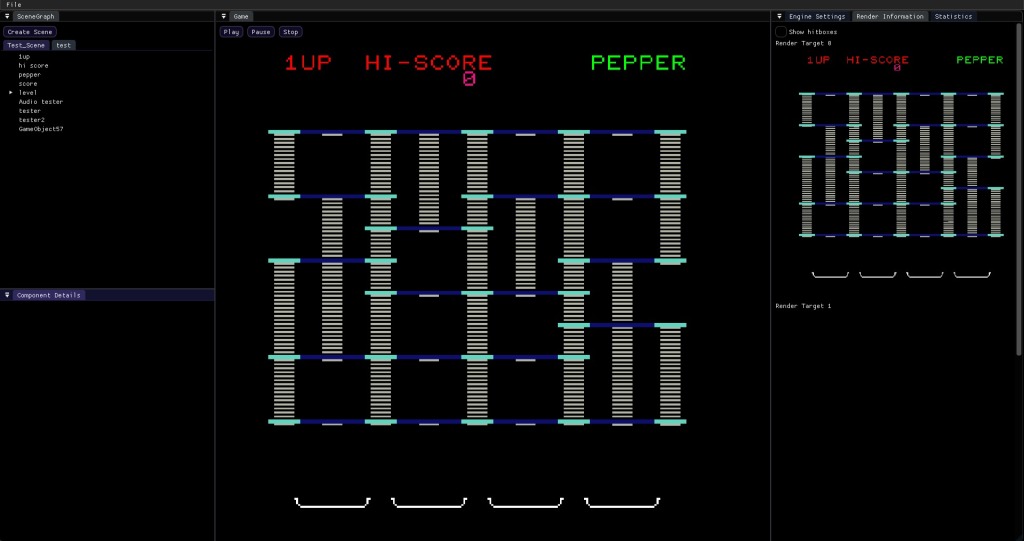
Open Demeyer 2D is the second Engine I have tried to make. It is an engine for making 2D games and uses SDL and OpenGl to render the images to the screen, making it possible to compile for most platforms.
ImGui
I use ImGui to make the Grafical User interface of this engine.
“Dear ImGui is a bloat-free graphical user interface library for C++. It outputs optimized vertex buffers that you can render anytime in your 3D-pipeline enabled application. It is fast, portable, renderer agnostic and self-contained (no external dependencies).”
You can read more about ImGui here: https://github.com/ocornut/imgui
Components & Scene Graph
The game consists of various scenes and every scene consists of game objects who themselves contain components to define their functionality.
During gameplay only one scene gets updated and rendered to the screen. all the other scenes remain inactive in memory but can be switched to at anytime.
This allows us to load and unload scenes during gameplay on different threads and can greatly improve loading times
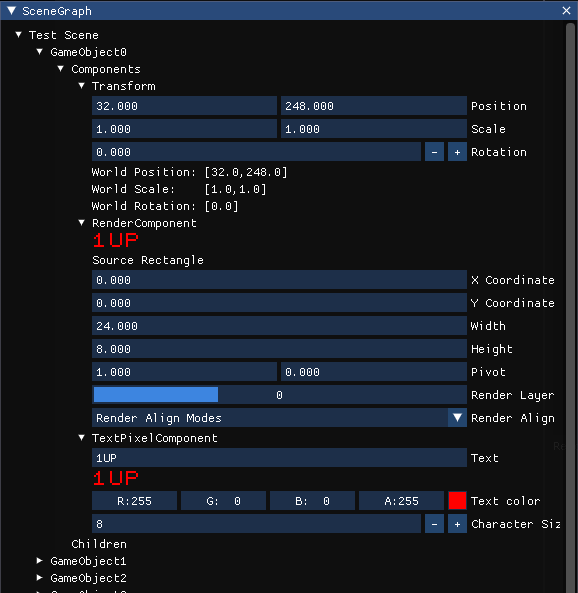
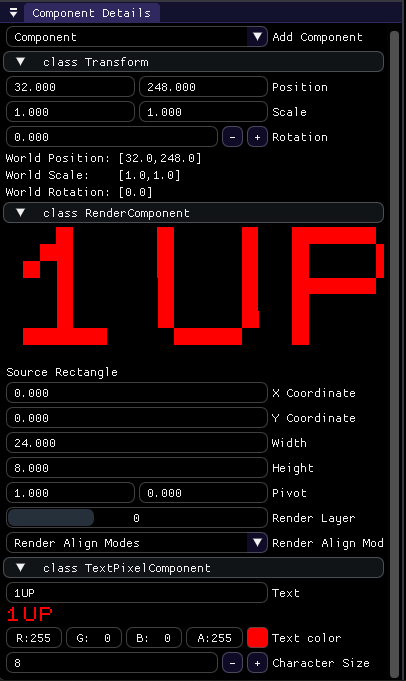
For this engine I decided to only use components to define entities. All Game Object contain a set of components that define their behaviour. This way we can easily add functionality without using inheritance. This is close to what an Entity Component System does.
I also added the possibility to add ImGui interfaces that can change functionalities of components while in game.
Game window
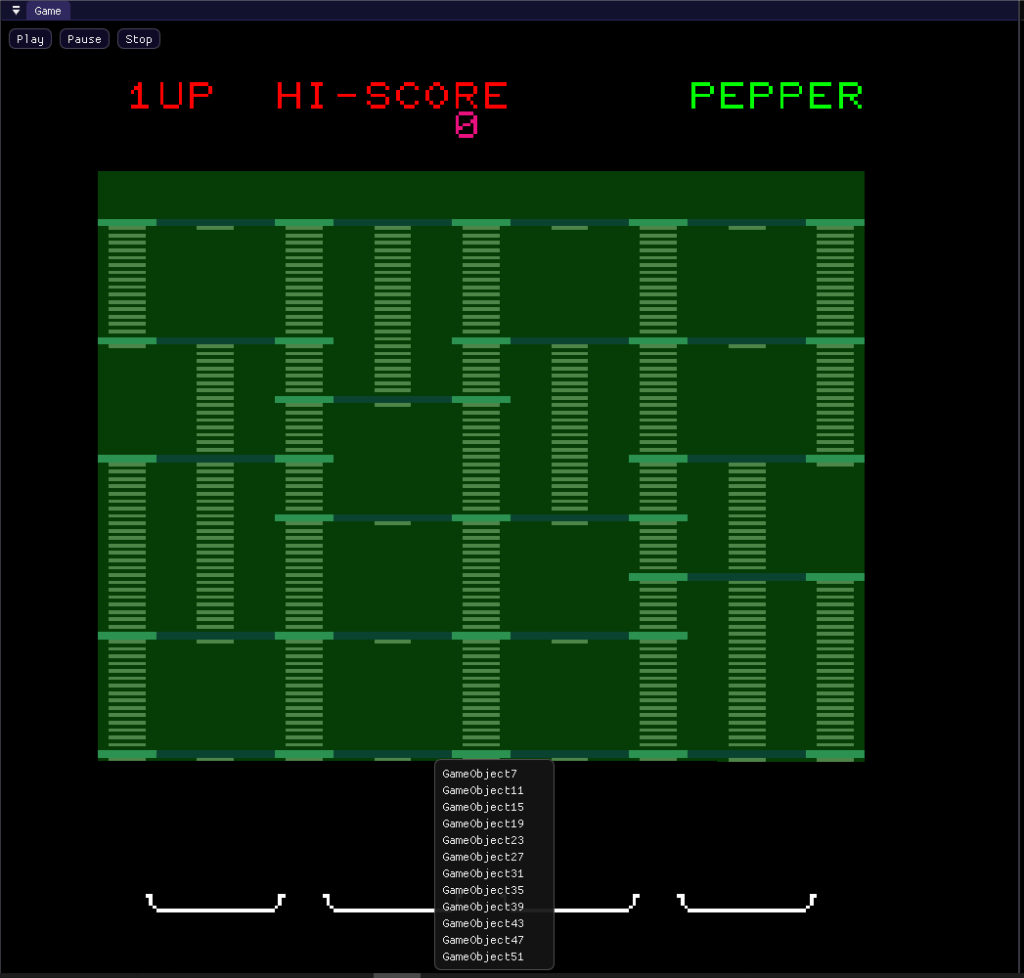
The game window shows the current scene before being initialized. You also have the option to play the game, which will instantiate the current scene and starts the update loop making it possible to play the game while in the viewport.
During gameplay you have the option the pause and stop playing, allowing you to quickly return to the editor and change values around
You can also left click to select objects and quickly inspect/change the components.
If more then one objects are behind each other you can also right click them to get a list of objects which can be selected
Engine Settings
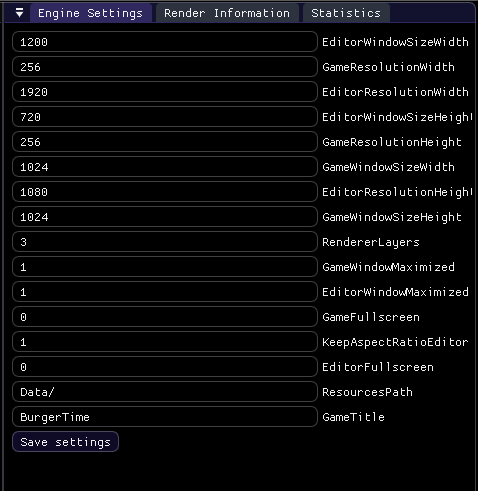
I have also implemented a way to save and load engine and game settings in between sessions.
You can set a bunch of different settings ranging from the resolution and window size to the title of the screen and more.
More settings can easily be added inside of the engine
Render Information
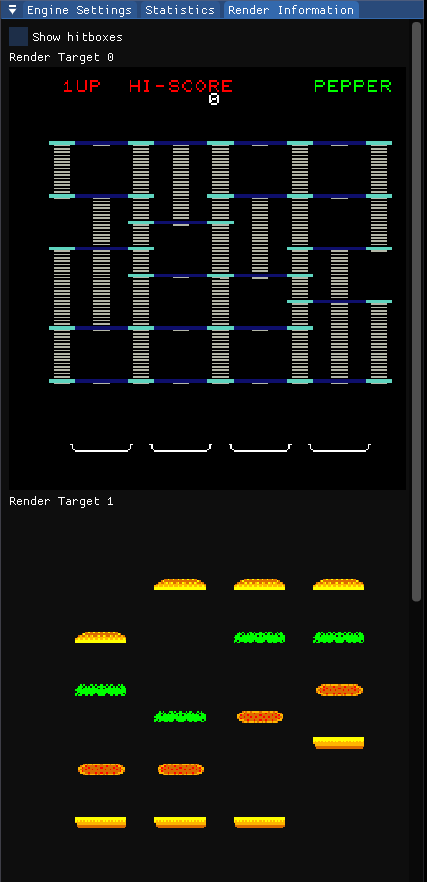
The Render Information tab gives the user information about the rendering of the engine. It show the multiple layers that the user can use to render to.
It also has the option to display the hitboxes and physics actors of the game
Saving and loading (File parsing)
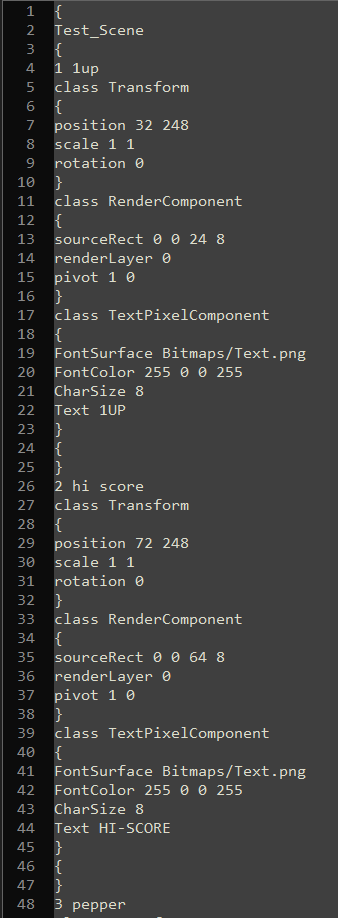
I added the ability to save and load the game, scenes or objects using files.
This system allows me to stop using the code editor to create the world and makes it easier to acquire the results in the engine without having to change the code and having to recompile every time I want a small change in the game.
This file saving system is completely dynamic and I’m able to implement a new component in a different project and add it to the engine without having to change or add any code in the engine.
Type information
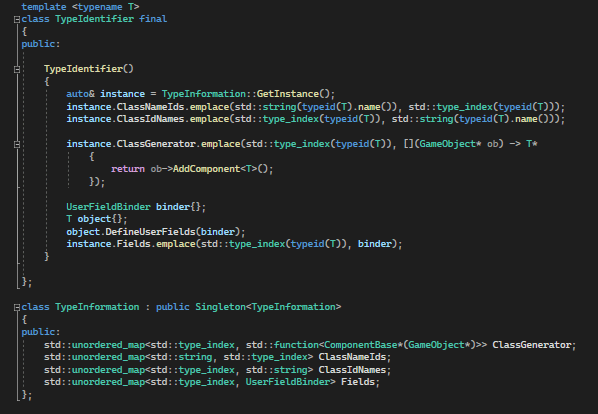
At the start of the game I generate specific type information for each component which allows me to parse files and quickly copy or duplicate values from components and game objects
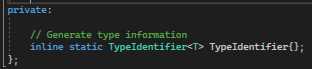
Each component has the ability to override a specific function and define their own serializable fields. these fields will be saved to files and will be loaded in when parsing a game/scene/object file.
These are similar to how Unity does the [Serializable] fields

Behind the scenes there is a singleton that will save this information and gives other parts of the program access to them.
For the loading of files I use the Class Generators to instantiate the components
 Connor De Meyer | Portfolio
Leave a comment